Agriculture & Crop Production
Connect seed to customer operations with Microsoft Dynamics 365
Modern crop production increasingly combines agriculture, manufacturing, inventory management, quality control, and distribution. ScanWorkX brings guided mobile execution into the places where that physical work occurs.
Extend D365 Finance & Operations and Supply Chain Management into greenhouses, grow rooms, production areas, warehouses, cold-storage areas, packing operations, and shipping docks using mobile workflows and barcode scanning.
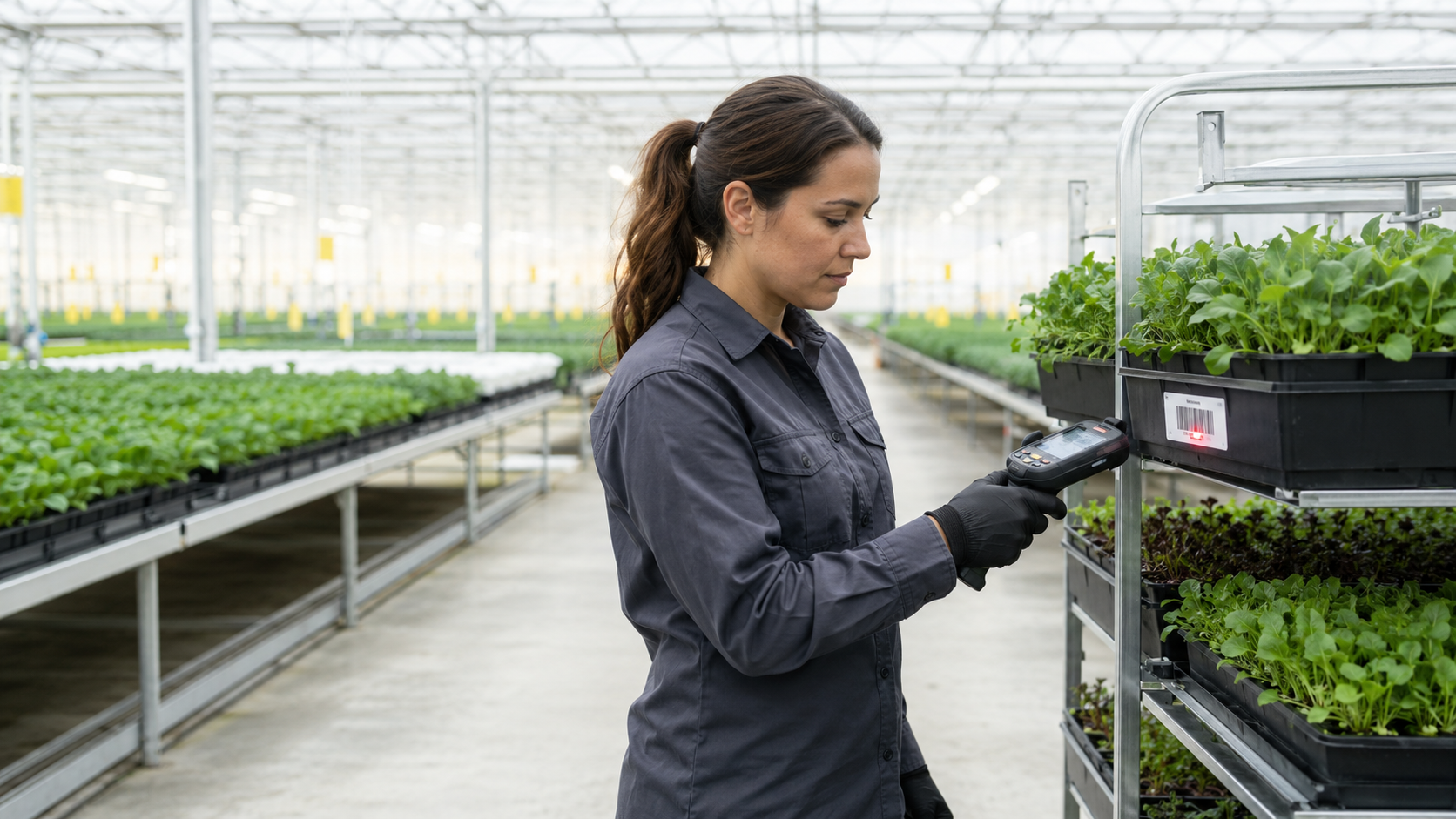
Controlled Environment Agriculture
From growing environments to the warehouse
Greenhouses, vertical farms, hydroponic facilities, aquaponics, and other protected growing environments manage more than crops. They also manage seed and genetics, propagation materials, nutrients, growing media, containers, crop batches, harvested material, packaging, finished products, and customer orders.

Inputs and propagation
Receive seed, growing materials, nutrients, growing media, containers, and other supplies into controlled inventory.
Growing inventory
Track material and crop movements between propagation areas, grow rooms, greenhouses, racks, and other production locations.
Harvest and processing
Record completed quantities and support movements associated with harvesting, grading, processing, repacking, and labeling.
Warehouse and fulfillment
Count, store, pick, pack, and ship finished agricultural inventory while validating the information required by D365.
Seed-to-customer mobile execution
Build traceability as inventory changes form and location
Agricultural inventory can change identity, quantity, status, location, and value many times before reaching a customer. ScanWorkX can help users capture those physical transitions through mobile transactions connected to D365.

Receive and put away
Receive purchased materials against the appropriate D365 document while confirming items, quantities, locations, lots, and required information.
Move and issue
Transfer crop and production inventory between controlled locations and issue seed, ingredients, packaging, and other consumables against production requirements.
Harvest and process
Record completed quantities and support grading, processing, repacking, labeling, and movement into the next inventory status or location.
Count and fulfill
Perform inventory counts and validate products, lots, locations, and quantities before finished goods are picked, packed, and shipped.
Traceability depends on accurate execution
Reliable transaction history helps operations investigate where material originated, what batch it became, where remaining inventory is located, and which customer received the finished product.
Controlled crop inventory
Support high-value crops where every lot matters
ScanWorkX is suited to controlled crop environments, including cannabis operations, where identity, location, inventory status, processing history, and traceability are important as material moves from production toward finished inventory.
Commercial greenhouse and vertical farming
Support inventory execution for leafy greens, herbs, tomatoes, cucumbers, microgreens, and other high-value crops in greenhouse, hydroponic, and vertical environments.
Specialty and medicinal botanicals
Help preserve identity and inventory history where variety, crop batch, source material, or production lot affects downstream processing, inventory handling, or quality decisions.
Cannabis and regulated cultivation
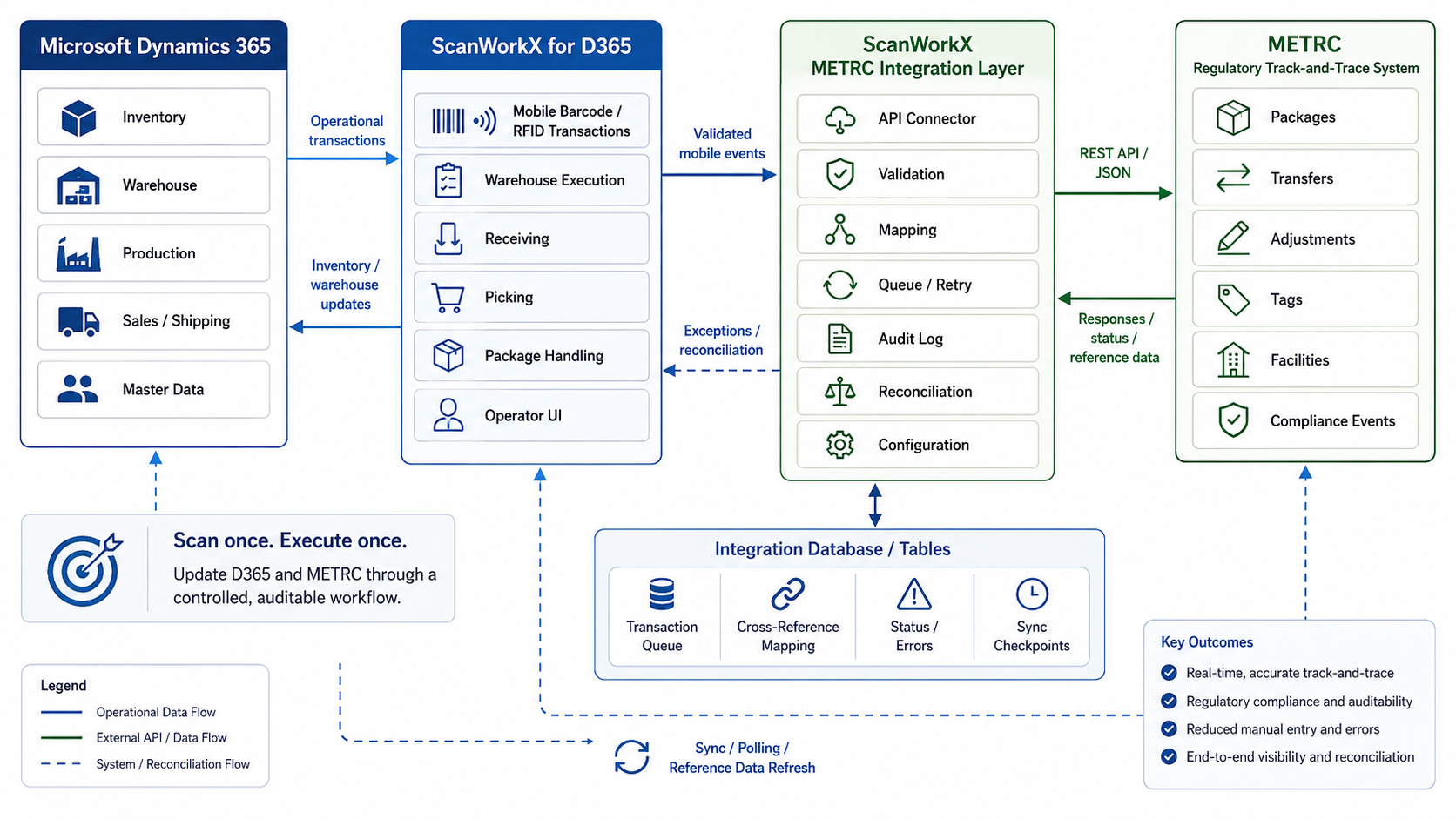
For cannabis operations using METRC, ScanWorkX can support D365 inventory, production, warehouse, and mobile execution processes while controlled integration workflows exchange applicable regulatory information with the track-and-trace system.
Food traceability and recall readiness
Capture and validate D365 lot and inventory information during receiving, transformation, movement, picking, and shipping to support more dependable investigation of affected product.
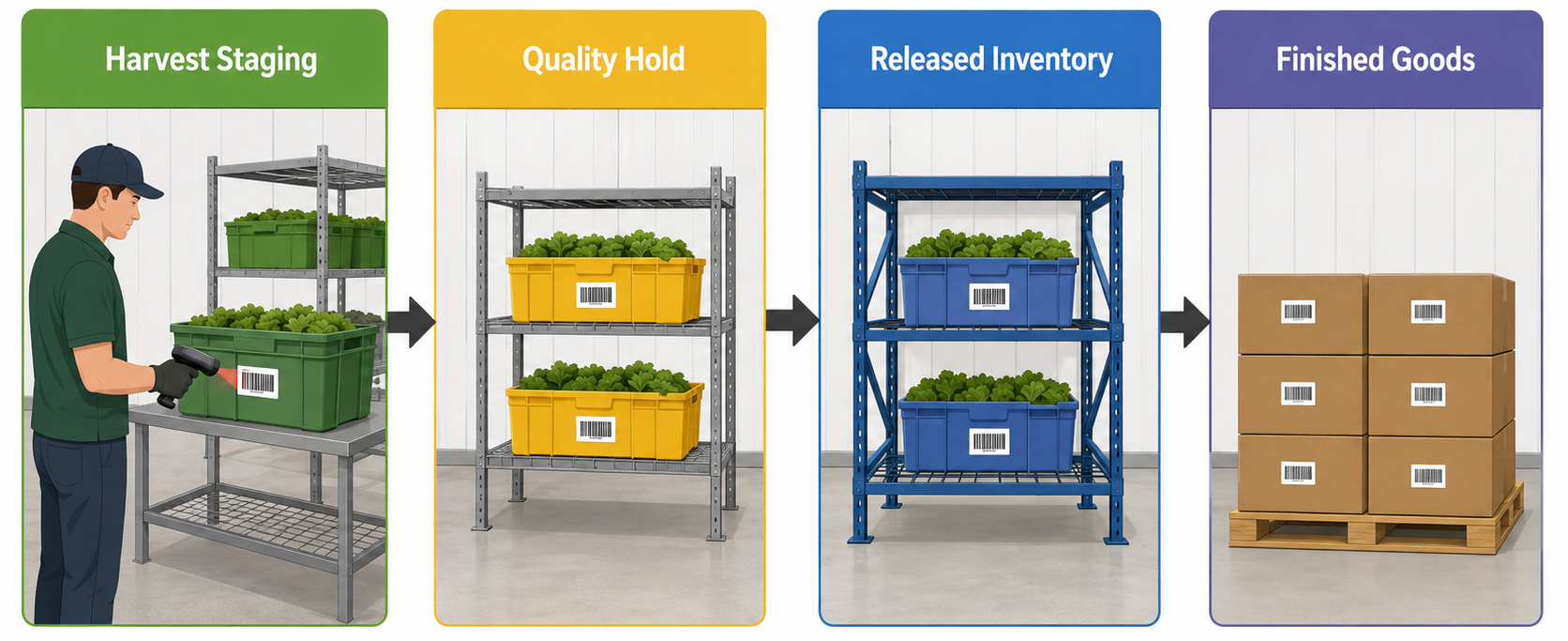
Inventory status can change throughout the operation
ScanWorkX does not replace a government-mandated tracking application. For cannabis operations where METRC or another regulatory compliance platform is required, ScanWorkX can support the D365 enterprise processes and controlled data exchange surrounding that environment.
A mobile execution layer for D365
Keep Microsoft Dynamics 365 at the center of the enterprise
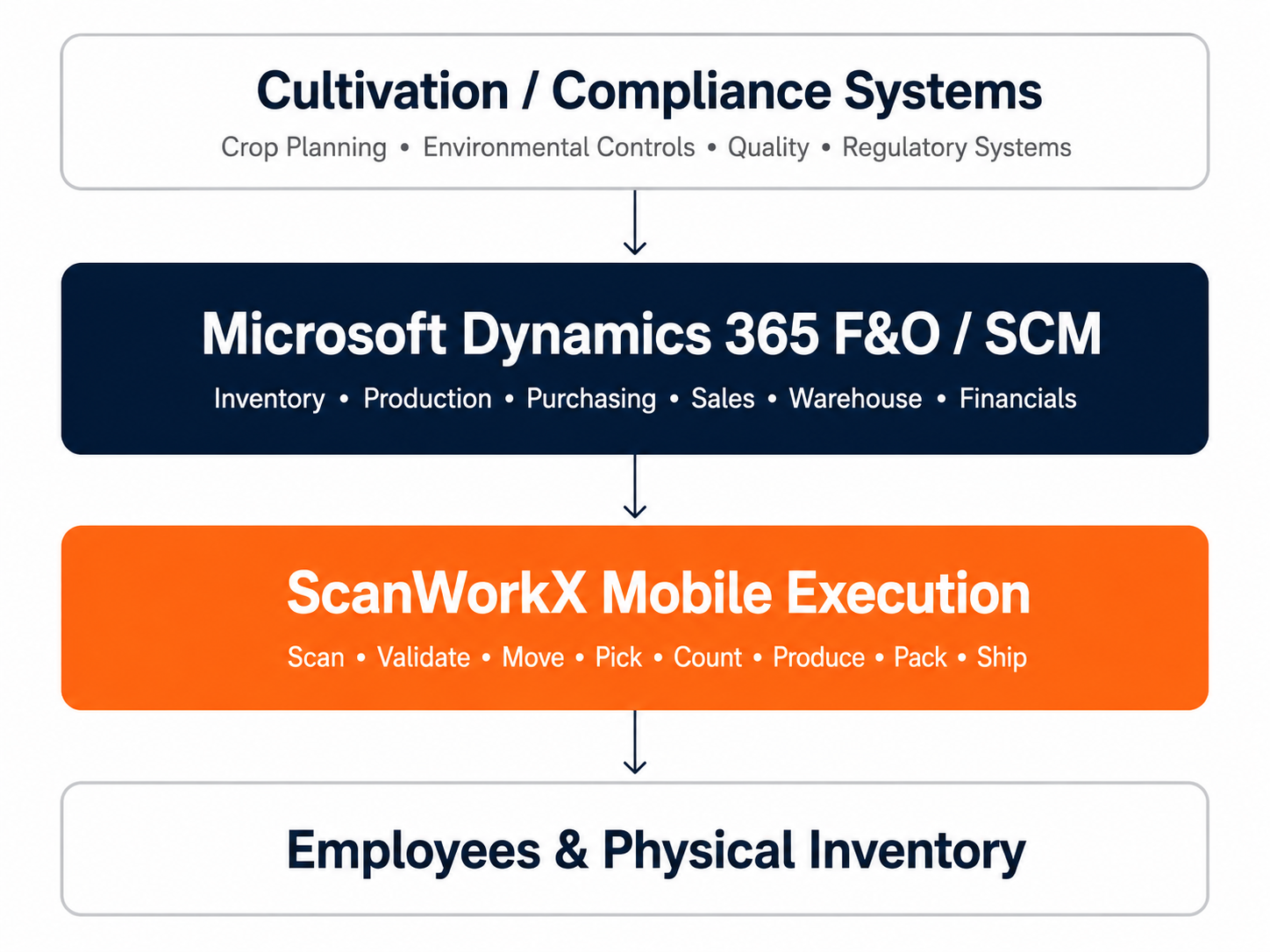
Agriculture companies may already use specialized systems for crop planning, greenhouse automation, environmental monitoring, quality, regulatory reporting, or compliance. ScanWorkX does not need to replace those systems. It provides mobile execution for the inventory, production, warehouse, and fulfillment transactions managed through D365.
Bring warehouse discipline to agricultural inventory
Support receiving, put-away, replenishment, inventory transfers, production picking, material issue and return, cycle counting, order picking, packing, shipping, and returns across production and warehouse environments.
Reduce the gap between physical activity and ERP information
Mobile transactions move data entry closer to receiving, movement, consumption, completion, counting, picking, and shipping events instead of depending only on paper records or later workstation entry.
Design workflows for the people doing the work
Employees can be guided through the item, location, lot, quantity, production order, sales order, and other information required for the activity one step at a time.
Start with a controlled pilot
A complete seed-to-customer rollout does not need to begin with every greenhouse, production process, and warehouse transaction. A representative crop, facility, and transaction group can be used to validate the process before broader rollout.
Receiving, put-away, inventory transfer, and cycle counting.
Production material picking, issue and return, and finished reporting.
Harvest and processing inventory, packaging, and lot controls.
Customer-order picking, packing, and shipping.
Additional greenhouses, production facilities, and distribution locations.
More dependable inventory records
Capture lot, batch, location, and transaction information while inventory is physically being handled and reduce mistakes created by handwritten or delayed entry.
More consistent execution
Replace paper-dependent activity with guided mobile processes and apply common operating steps across greenhouses, production facilities, warehouses, and distribution operations.
Stronger traceability and fulfillment
Build more complete inventory histories while supporting repeatable receiving, movement, picking, packing, and shipping processes connected to D365.