Warehouse execution for packaging, plastics, and electronics
Improve accuracy and throughput across every inventory movement
ScanWorkX extends Microsoft Dynamics 365 Finance and Operations with purpose-built mobile workflows that help employees receive, move, count, assemble, pick, pack, and ship inventory accurately.
Real-time barcode validation confirms that the correct item, location, quantity, unit of measure, serial number, and order are being processed before the transaction is completed.
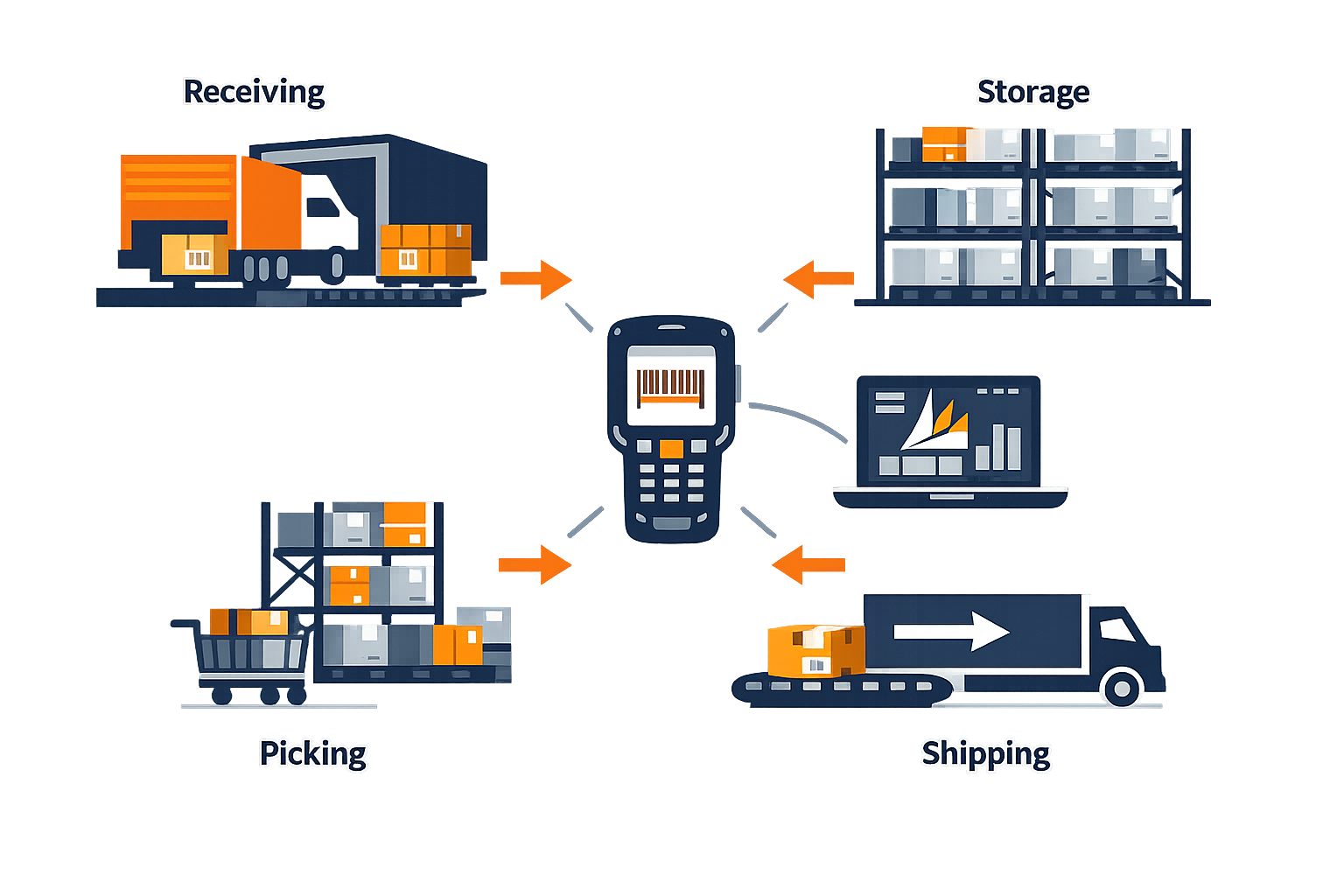
High-SKU operations in electronics, packaging, and plastics benefit from point-of-work transactions and barcode-based validation.
Reduce preventable errors
Validate key transaction details before completion instead of relying only on visual checks or delayed correction.
Increase warehouse throughput
Support faster inventory execution with guided mobile workflows connected directly to D365.
Support complex SKU environments
Help employees work more consistently across high-volume, high-variation warehouse activity.
High-SKU accuracy
Reduce errors in high-SKU warehouse operations
Warehouses handling products with similar descriptions, model numbers, packaging, or physical appearance need stronger controls than visual recognition alone. ScanWorkX helps employees correct mismatches before inventory leaves the warehouse.
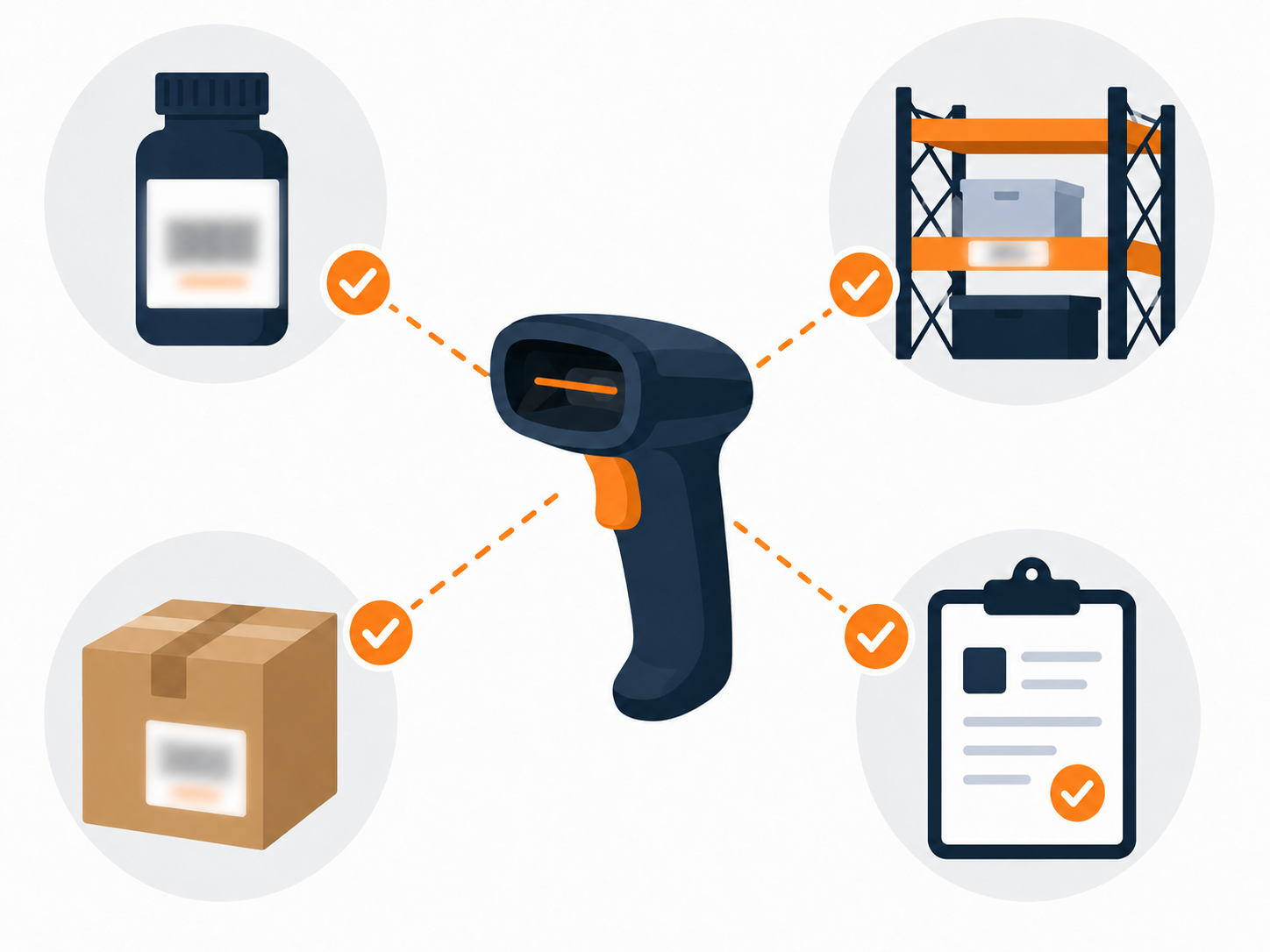
Verify the product
Confirm the expected item and barcode identity before the transaction is completed.
Verify the location
Validate the inventory location involved in the receipt, movement, or pick.
Verify the order
Check the order and order line associated with the activity.
Verify quantity details
Confirm the quantity and unit of measure required for the task.
ScanWorkX can validate
Mobile validation can compare the scanned transaction with the expected item, location, order, quantity, tracking information, product configuration, packaging level, and required sequence.
Complete warehouse process support
Support inventory from receipt through shipment and return
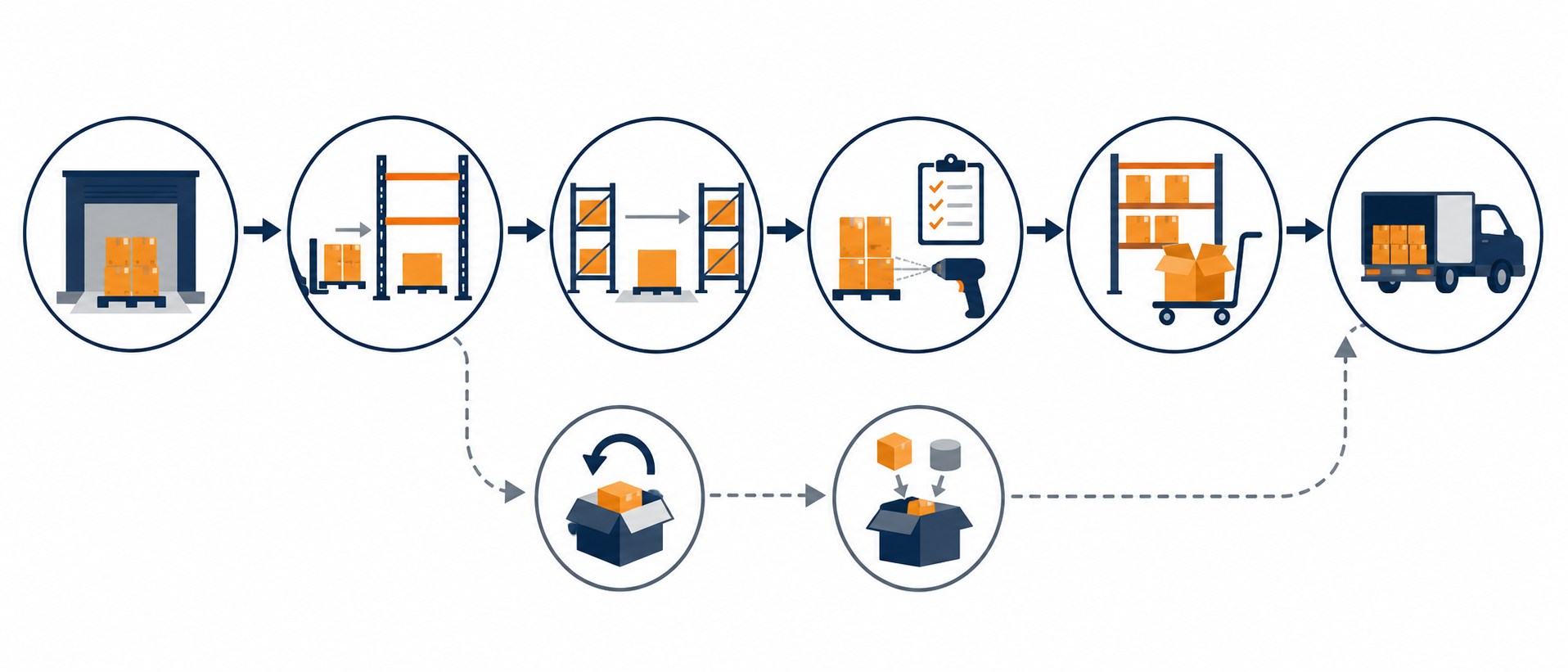
ScanWorkX supports the full warehouse process with mobile transactions for receiving, movement, counting, picking, shipping, returns, and light assembly activity.
Receiving and put-away
Capture inbound inventory at receipt, validate item and quantity, record serial numbers when required, print labels, and guide placement into warehouse locations.
Replenishment and bin transfers
Confirm source location, destination location, item, and quantity as inventory moves between reserve, forward-pick, staging, production, and shipping locations.
Cycle counting and inventory control
Replace paper count sheets with guided mobile counting by item, location, or assigned work, including blind counts and recount exceptions when required.
Sales-order picking
Guide employees through order picking while validating each item and location, especially where products have similar model numbers or packaging.
Packing and shipping
Add a final control point with order, item, quantity, serial-number, container, and shipment validation before inventory leaves the facility.
Returns, kitting, and light assembly
Support structured returns processing as well as component issue, component return, kit completion, finished-product identification, and barcode label printing.
Control and consistency at scale
Maintain serial control, print labels at the right time, and standardize execution
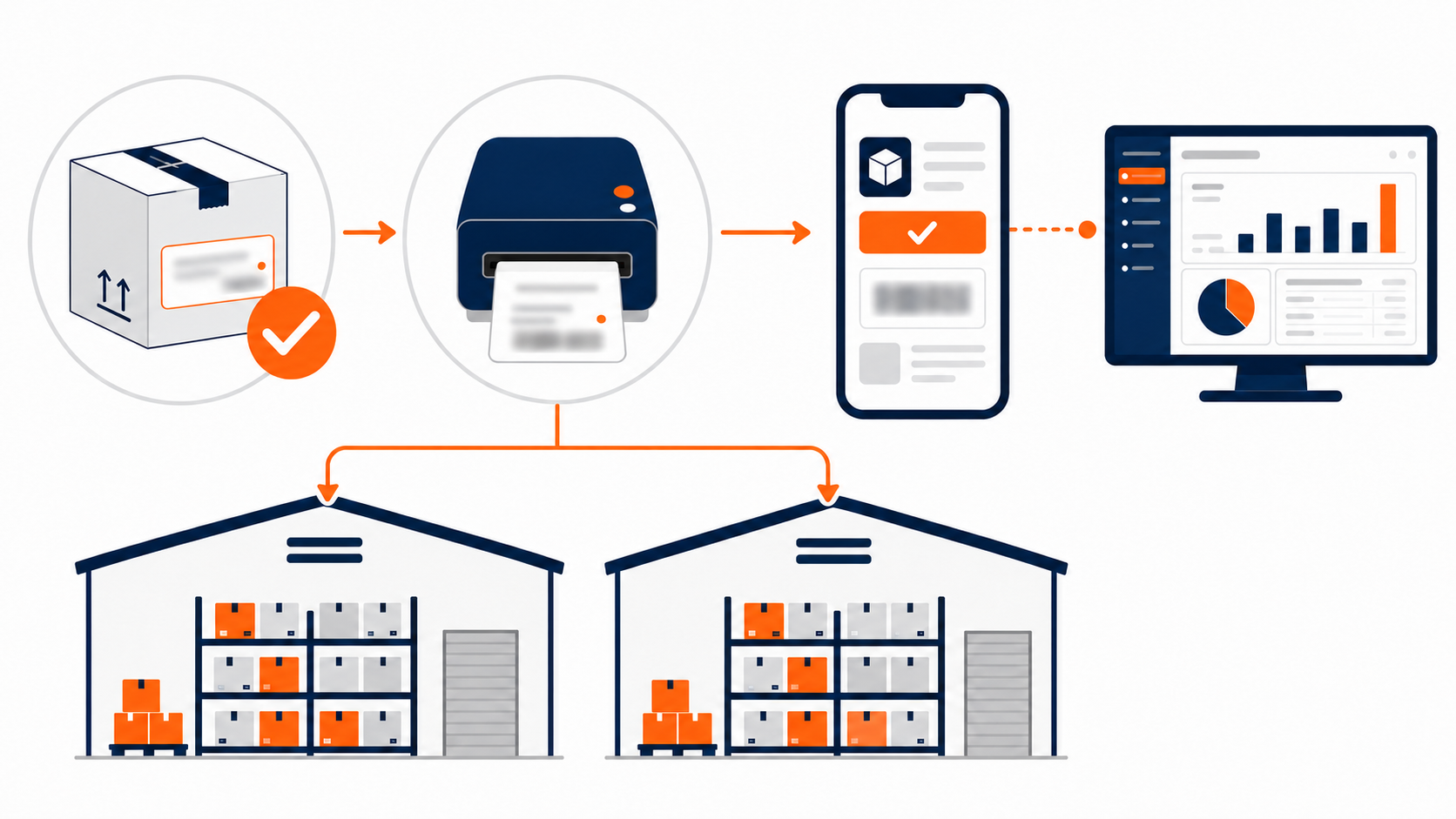
ScanWorkX supports serial-number traceability, transaction-based label printing, consistent transaction controls across multiple warehouses, and purpose-built mobile workflows that complement D365.
Maintain serial-level control
Capture serial numbers during receipt, transfer, assembly, picking, packing, shipping, and returns to support transaction history, warranty work, and discrepancy research.
Print the right label at the right time
Initiate barcode label printing as part of the warehouse transaction during activities such as receiving, transfer, kitting, packing, shipping, and returns processing.
Standardize execution across warehouses
Use configurable workflows to support consistent barcode validation, required data capture, serial processing, error handling, menu structure, and employee instructions.
Extend D365 without over-customizing
Configure ScanWorkX around how employees perform warehouse work while D365 remains the system of record for inventory and operational transactions.
Deployment and business measurement
Roll out in phases and measure operational outcomes
The document recommends a phased rollout approach supported by process review, configuration, testing, training, go-live support, and post-go-live refinement. It also recommends measuring warehouse performance before and after implementation.
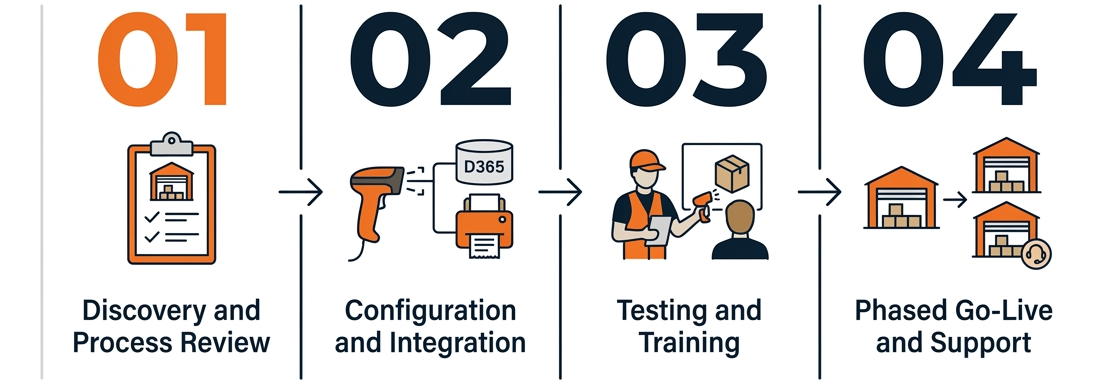
Discovery and process review
Document warehouse processes, transaction volumes, devices, barcode formats, label requirements, D365 configuration, exceptions, and desired outcomes.
Configuration and integration
Configure workflows around the approved process design and prepare mobile devices, scanners, label printers, D365 integration, user roles, and transaction rules.
Testing and training
Test representative warehouse scenarios using actual products, locations, barcodes, units of measure, serial numbers, and printers.
Phased go-live and support
Deploy the initial facility or process group, incorporate lessons learned, and extend the validated model to additional transactions, facilities, languages, and user groups.
Licensing for operational workforces
The document notes that concurrent-user licensing can be valuable where warehouses operate multiple shifts or shared devices, and where not all employees are active at the same time.
Business outcomes to measure
Recommended measurements include order-picking accuracy, wrong-item shipments, same-day shipping, receiving cycle time, cycle-count accuracy, return processing time, labeling errors, and labor hours per order.
Why ScanWorkX
The document highlights specialized D365 mobile execution, real-time validation, configurable workflows, mobile device and printer integration, multilingual screens, phased deployment, and the ability to expand as transaction volumes and facilities grow.