Automotive and heavy equipment

Turn every parts movement into more dependable D365 inventory

ScanWorkX gives automotive and heavy-equipment teams a guided mobile execution layer for capturing parts activity where the work happens. Barcode scanning helps connect physical inventory handling with the corresponding Microsoft Dynamics 365 or Dynamics AX record.
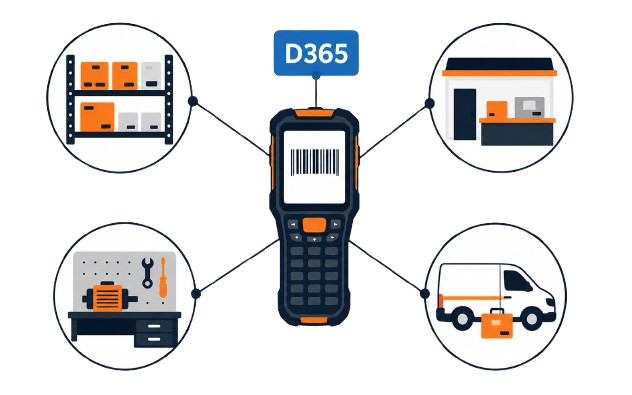
Connected inventory ecosystem linking warehouses, branches, service shops, and field operations with ScanWorkX and Microsoft Dynamics 365
One connected mobile environment supports inventory activity wherever automotive and heavy-equipment parts are handled.

Transaction data quality

Create more trustworthy inventory records at the point of work

Inventory information becomes more useful when each mobile transaction includes the required context before it reaches Microsoft Dynamics. ScanWorkX helps users confirm the details needed to create a complete and consistent operational record.

  • Require essential information before a transaction can be submitted.
  • Check item and location details against the intended process.
  • Connect mobile activity to the appropriate D365 or AX source record.
  • Apply consistent validation rules across users, shifts, and locations.
  • Present exceptions while the employee is still completing the work.
  • Shorten the delay between physical activity and the ERP update.
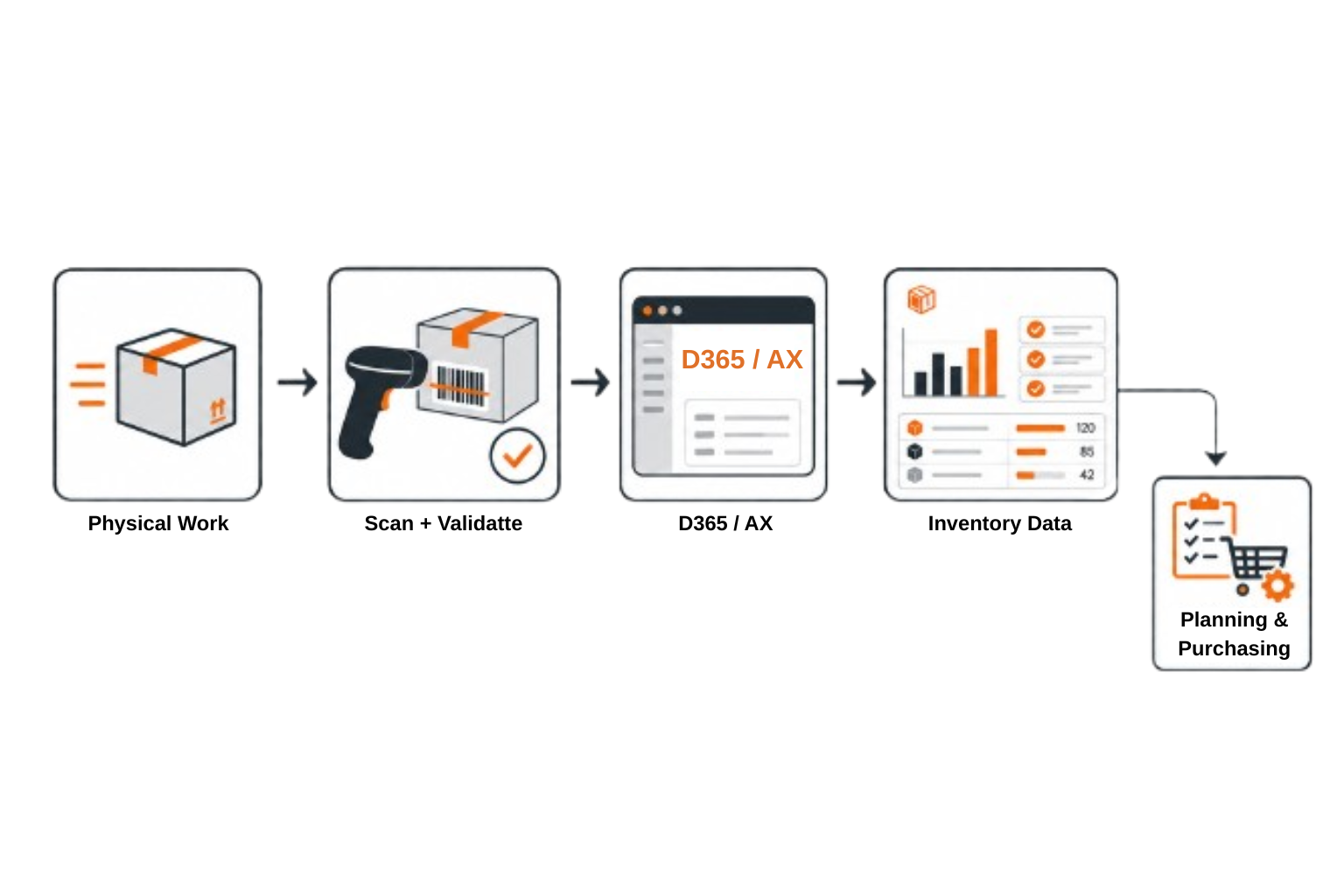
Physical inventory activity being scanned and validated before becoming dependable Microsoft Dynamics 365 and Dynamics AX inventory data
ScanWorkX adds structure and validation between physical work and the inventory information recorded in Dynamics 365 or Dynamics AX.
Execution, not demand planning: ScanWorkX does not determine stocking policies or replace inventory optimization. It improves the transaction data and operational controls those decisions depend upon.

Business outcomes

Four outcomes for automotive and heavy-equipment operations

The value begins with more consistent inventory execution. Each outcome below connects physical parts activity with clearer D365 information and repeatable operating controls.
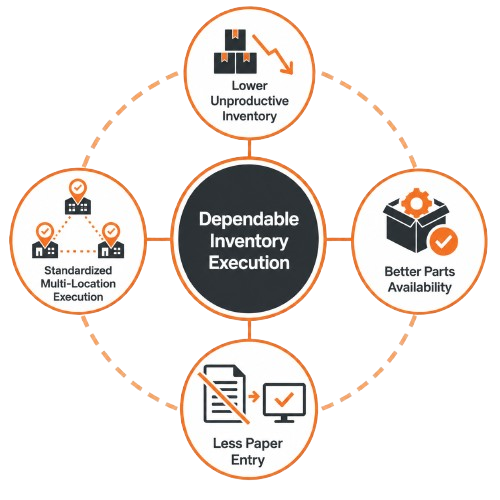
Four business outcomes of dependable inventory execution: inventory confidence, parts availability, reduced paper transactions, and standardized execution
Dependable inventory execution supports stronger inventory confidence, parts availability, mobile processes, and operational consistency.
01

Reduce excess and unproductive inventory

More dependable records help teams distinguish required stock from misplaced, already-consumed, or potentially reusable inventory.

02

Improve parts availability

Accurate item and location information helps warehouse, counter, planning, and service teams find required material faster.

03

Replace paper-based transactions

Mobile inventory workflows reduce duplicate entry and shorten the delay between physical work and the related Dynamics transaction.

04

Standardize execution across locations

Guided steps and scan validation support consistent controls while allowing site-specific devices, labels, and operating requirements.

Connected workflow

Inventory execution from receiving through shipment

Use a consistent mobile experience to guide the transactions that shape parts availability across warehouses, branches, service operations, production areas, and distribution points.

01

Parts receiving

Receive against the appropriate D365 document, confirm quantities, and capture required lot or serial details before stock becomes available.

02

Put-away and location control

Verify the item, source, destination, and quantity as material is placed into the correct storage location.

03

Parts picking

Confirm the correct item, location, and quantity for customer orders, replenishment, service, production, or other D365 demand.

04

Point-of-use consumption

Record material when it is physically used instead of relying on handwritten notes or delayed administrative entry.

05

Branch and warehouse transfers

Scan inventory as it leaves one location and arrives at another to create clearer accountability between sites.

06

Returns and unused material

Move unused, customer-returned, service-returned, or rebuildable material through a controlled process for inspection and disposition.

07

Cycle counting

Count by item and location on a mobile device, submit results to D365, and surface discrepancies earlier.

08

Packing and shipment verification

Verify picked material before shipment to confirm that the correct parts and quantities are being sent.

Complex parts operations

Address industry-specific inventory challenges with a practical path to deployment

Automotive and heavy-equipment inventory extends beyond warehouse shelves. Parts may be assigned to technicians, carried in service vehicles, installed during repairs, exchanged as cores, held for warranty review, or sourced through a multi-branch network. A controlled pilot helps confirm how mobile inventory execution fits these operating environments.
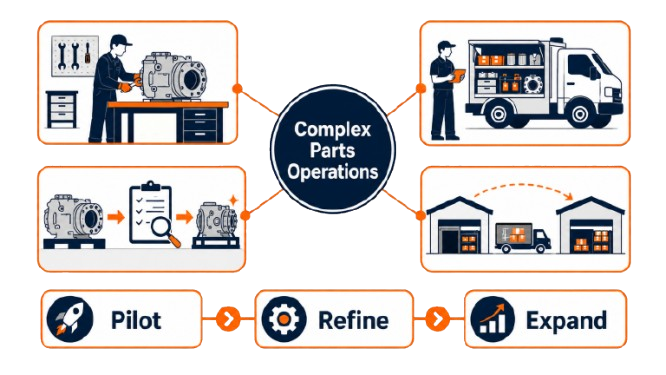
Complex automotive and heavy-equipment parts operations across service bays, field technicians, repairable components, warranty processing, and branch locations
Pilot Representative site and scope
Refine Workflow and user experience
Expand Additional locations or divisions
Begin with a representative operation, refine the transaction design and user experience, and apply what was learned to later rollout waves.
01

Technician and field inventory accountability

Maintain clearer responsibility for parts assigned to a technician, service truck, field location, or temporary operating area as the material changes custody or availability.

02

Cores, warranty items, and repairable assemblies

Preserve visibility as components move between customers, branches, inspection areas, service shops, quarantine, rebuild operations, and inventory locations.

03

Parts sourcing across a branch network

Use more dependable location-level information to determine whether a critical, serialized, or difficult-to-source part may be available elsewhere in the organization before an additional purchase is created.

Pilot and program ownership

Start with a controlled scope and involve the right decision-makers

A focused pilot allows the organization to confirm selected D365 transactions, devices, labels, user steps, and operating controls before deploying the solution to additional branches or divisions.

A practical deployment path

1
Select a representative pilot scope

Choose an operating location, user group, device set, and controlled set of D365 transactions that reflect real automotive or heavy-equipment parts activity.

2
Validate and refine the mobile process

Configure and test the selected workflows, train pilot users, review exceptions, and adjust the experience to fit the physical work environment.

3
Expand using lessons from the pilot

Apply the refined configuration and rollout approach when deploying by branch, region, division, or transaction group.


Shared ownership by role

EL
Executive leadership Sponsors the scope, priorities, and broader deployment decisions.
IM
Inventory management Defines transaction controls, tolerances, and exception ownership.
OP
Branch and service operations Confirms that the mobile experience supports daily parts handling and user adoption.
IT
IT and D365 leadership Governs integration, security, devices, testing, support, and configuration changes.
A pilot-first rollout reduces unnecessary complexity. The organization can confirm how ScanWorkX fits its parts, service, field, core, and branch operations before applying the design more broadly.

Make your inventory smarter with ScanWorkX!

ScanWorkX is developed and supported by a dedicated team within Cloud Inventory®, the company redefining enterprise software for the modern age. Our experts bring decades of experience in warehouse mobility and ERP integration – especially with Microsoft AX and D365 – to deliver real results for our customers. Visit CloudInventory.com to discover how Cloud Inventory’s innovative business solutions are empowering organizations around the world.

Our Companion Product

Stay Updated
Subscribe to our newsletter for the latest updates and insights on ScanWorkX.