ScanWorkX Partnership

Build Better D365 Warehouse Projects Together

Partner with ScanWorkX to extend Microsoft Dynamics 365 Finance & Operations and D365 Supply Chain Management into the warehouse with mobile execution, barcode scanning, rugged devices, and connected labeling workflows.

Build ScanWorkX into your billable D365 services.

Learn how to implement ScanWorkX within your customer projects and create additional service revenue opportunities through configuration, deployment, training, and implementation support.
Contact ScanWorkX
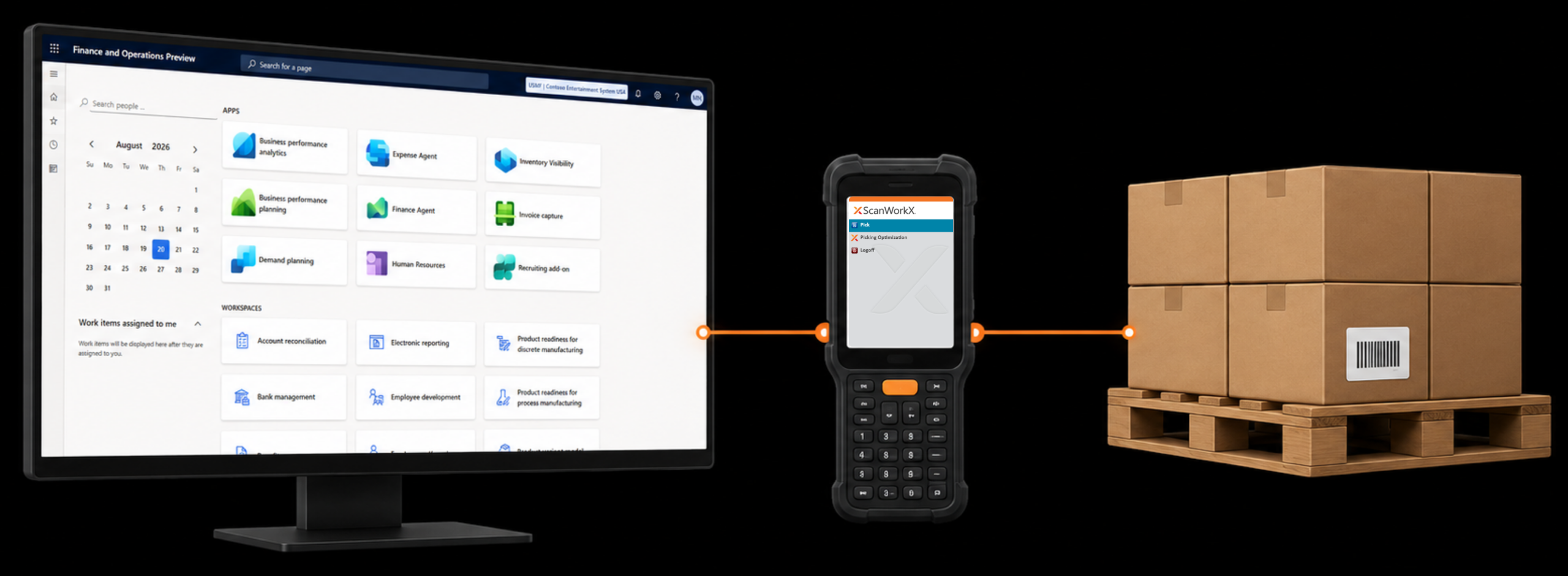
D365 warehouse partnership connecting Microsoft Dynamics, mobile scanning, and warehouse execution

A Practical Extension of Your D365 Delivery

A warehouse implementation does not stop at ERP configuration. Physical inventory work still has to be completed at receiving docks, storage locations, production areas, picking zones, and shipping stations. ScanWorkX brings those activities to mobile devices while keeping the resulting transactions connected to Microsoft Dynamics.

SYSTEM 01

D365 F&O / D365 SCM

ERP data, warehouse processes, inventory requirements, and transaction rules.

SYSTEM 02

ScanWorkX

Mobile warehouse applications, barcode-driven data capture, and guided execution connected to Dynamics 365.

SYSTEM 03

Point of Work

Warehouse employees, rugged mobile computers, scanners, printers, inventory, and physical material movement.

Learn ScanWorkX Implement It Grow Your Services

ScanWorkX can become part of your D365 delivery practice, not simply a product you recommend. Build product knowledge within your team, include ScanWorkX in customer implementations, and create additional professional-service opportunities around the deployment.

01

Learn & Test

Implementation partners can use a complimentary ScanWorkX license for testing and training while building familiarity with the solution.

02

Implement

Build ScanWorkX configuration and deployment into D365 F&O and D365 Supply Chain Management customer projects.

03

Deliver Services

Create additional billable service opportunities around configuration, deployment, customer training, and implementation support.

04

Get Partner Support

Access technical training, implementation resources, support, and collaboration that can help your team prepare for customer engagements.

Partner Opportunity

Keep your team involved beyond the ERP configuration by building ScanWorkX implementation work into the services you deliver around the customer's D365 warehouse project.

Three Ways to Partner With ScanWorkX

ScanWorkX works across the teams and technologies involved in delivering a complete D365 warehouse environment.

01

D365 Implementation Partners

Build ScanWorkX into Microsoft Dynamics 365 F&O and Supply Chain Management projects, develop implementation expertise within your team, and create additional service opportunities around warehouse mobility, configuration, deployment, and customer training.

02

Mobile Hardware Partners

Match warehouse applications with rugged handheld scanners, mobile computers, tablets, and related device technology suited to the customer's operating environment.

03

Labeling Technology Partners

Connect warehouse transactions with enterprise labeling technology so barcode labels can support inventory identification, movement, handling, and downstream processes.

Bring D365 F&O and D365 SCM to the Point of Work

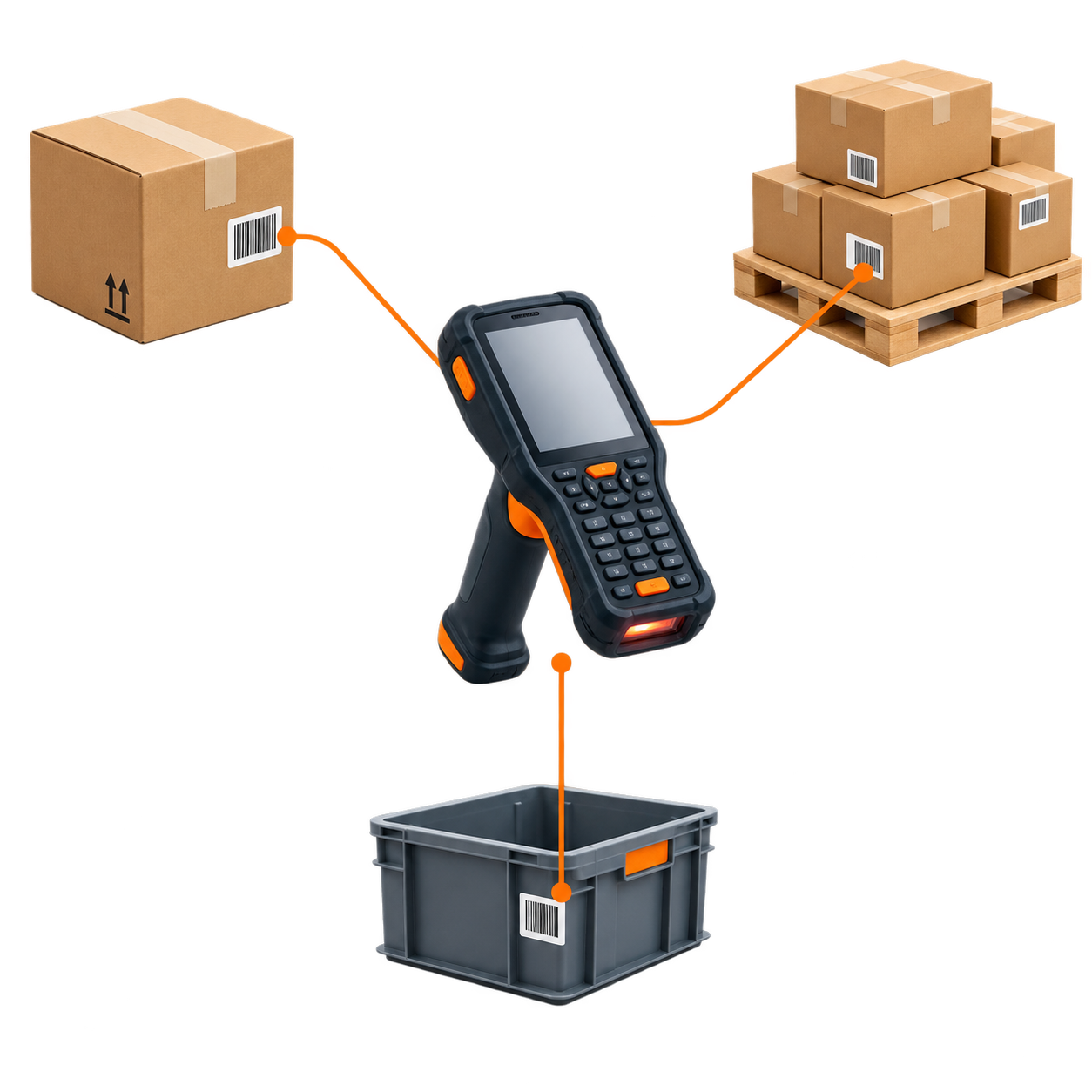
ScanWorkX gives warehouse teams mobile access to barcode-driven workflows connected to Microsoft Dynamics. Instead of separating physical work from ERP activity, employees can capture the information required for warehouse transactions while the work is being performed.
01
Receiving Capture inbound inventory and identification information.
02
Inventory Movement Support warehouse transfers, movement, and counting activity.
03
Production Bring mobile data capture closer to production-related work.
04
Picking & Shipping Guide outbound warehouse activity using mobile workflows.
D365 warehouse workflow illustration showing a rugged mobile barcode scanner connected to an inbound carton, pallet with labeled boxes, and production bin.
ERP Transaction Mobile Execution Physical Work

Connect Warehouse Execution With Labeling Technology

Warehouse mobility and labeling often meet at the same transaction. ScanWorkX works with enterprise printing and label-engine technologies to help connect D365 warehouse processes with barcode identification and printing requirements.

Enterprise Printing Platform

Cloud Inventory EPP

Support enterprise D365 printing environments where centralized processing, printer connectivity, and scalable warehouse label operations are important.

Explore EPP ↗

Label Design & Automation

BarTender

Connect D365-driven warehouse activity with BarTender environments used for barcode label design, printing, and labeling automation.

Explore BarTender ↗

Enterprise Labeling

Loftware

Support D365 warehouse labeling environments that require standardized, scalable, and controlled enterprise labeling processes.

Explore Loftware ↗


ScanWorkX is developed and supported by a dedicated team within Cloud Inventory®, the company redefining enterprise software for the modern age. Our experts bring decades of experience in warehouse mobility and ERP integration – especially with Microsoft AX and D365 – to deliver real results for our customers. Visit CloudInventory.com to discover how Cloud Inventory’s innovative business solutions are empowering organizations around the world.

Our Companion Product

Stay Updated
Subscribe to our newsletter for the latest updates and insights on ScanWorkX.